Best Free Anonymous Feedback App: Top Tools & How to Use Them
Discover the best free anonymous feedback app for honest reviews, team suggestions, and self-discovery. Compare top tools and learn how to enable true anonymity.


Estimated reading time: 14 min
Key Takeaways
- The best free anonymous feedback apps prioritize privacy, ease of use, and true anonymity.
- Top tools include Blindspot, Google Forms, Free Suggestion Box, Jotform, and FreeOnlineSurveys.
- Set up anonymous surveys by disabling name/email collection and restricting access.
- Anonymous feedback is invaluable for self-awareness, employee engagement, and honest peer reviews.
- Carefully compare free vs. paid features, privacy controls, and mobile/integration support.
Table of Contents
- Section 1: Why Use a Free Anonymous Feedback App?
- Section 2: Top Free Anonymous Feedback Apps Compared
- Section 3: How to Set Up True Anonymity in Survey Tools
- Section 4: Employee vs. Customer Feedback – Use Cases & Best Tools
- Section 5: Data Security, Privacy, and Anonymity Features
- Section 6: Mobile Apps, Integrations, and Real-Time Polling
- Conclusion
- FAQ
Section 1: Why Use a Free Anonymous Feedback App?
The Power of Anonymity
Anonymous feedback can be transformative. Whether you’re seeking honest opinions from friends, collecting staff suggestions, or running a peer review, a free anonymous feedback app removes barriers to honesty. People are far more likely to share their true thoughts—both positive and constructive—when they know their identity won’t be revealed.
- Self-discovery: Apps like Blindspot enable users to uncover blind spots between their self-perception and how others see them. For instance, you might believe you are approachable at work, but anonymous feedback could reveal that some colleagues find you intimidating in meetings, giving you a valuable opportunity to adjust your communication style.
- Employee engagement: Organizations use anonymous review apps to boost trust and create psychologically safe environments. Gallup research has repeatedly shown that employees who feel heard are more engaged and productive, and anonymity helps remove fear of reprisal.
- Idea generation: Suggestion boxes and anonymous comment apps help surface new ideas without fear of judgment. In one real-world example, a Fortune 500 company collected over 700 anonymous suggestions in one quarter alone, leading to several process improvements that would not have emerged otherwise.
- Whistleblowing: Free anonymous feedback platforms are critical for reporting misconduct or sensitive issues. When employees or students are able to report problems without fear, organizations can address concerns sooner and reduce liability.
Who Benefits?
The best anonymous feedback app isn’t just for workplaces. Here’s who can benefit:
- Individuals seeking honest peer feedback (for self-awareness), such as students asking classmates for input on group projects, or friends looking to understand their social strengths and weaknesses.
- Managers improving team culture by collecting candid input on leadership style, processes, and morale. For example, implementing an anonymous monthly survey allows managers to spot recurring issues and address them proactively.
- Teachers and students fostering open communication. Teachers can gather honest feedback on their teaching methods, classroom climate, or curriculum, while students can safely voice their concerns or suggest changes.
- Friends and family wanting to deepen understanding, resolve misunderstandings, or share honest feelings in a non-confrontational way.
When to Use Anonymous Feedback?
- Performance reviews, where direct reports may struggle to give honest upward feedback otherwise.
- Team retrospectives, such as agile sprint reviews, to surface blockers or frustrations without fear of blame.
- Product feedback collection, especially in beta tests or pilot launches, to encourage brutal honesty that leads to better products.
- Personal growth and self-reflection, such as using Blindspot quizzes to examine gaps between how you see yourself and how others see you.
- Whistleblowing or reporting issues, crucial for compliance and safety in schools, businesses, and non-profits.
To dive deeper into self-reflection using feedback, see our guide on revealing your blind spots with feedback quizzes.
Section 2: Top Free Anonymous Feedback Apps Compared
Comprehensive Comparison
With so many options, choosing the best free anonymous feedback app depends on your needs. Here’s an in-depth look at the most popular tools, their features, pros, and limitations. In practice, the differences between these tools can significantly affect how feedback is collected, processed, and acted upon—especially at scale or in sensitive use cases.
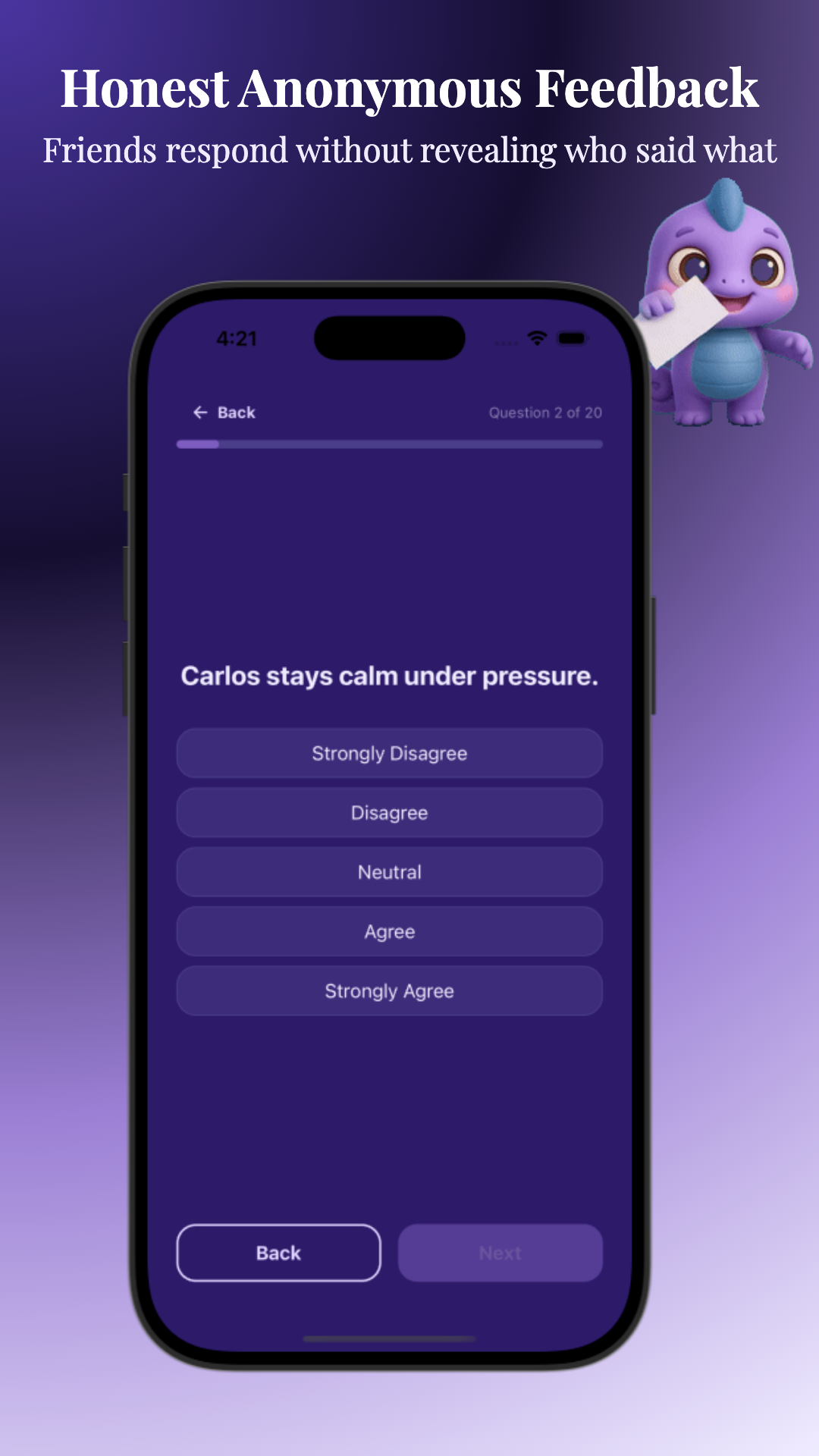
- Blindspot – Self-discovery with anonymous friend feedback. Blindspot is unique for its focus on personal insight and group dynamics, automatically aggregating feedback and using AI to surface trends, areas of alignment, and blind spots.
- Google Forms – Flexible, easy surveys for anonymous feedback, highly customizable and free with a Google account. While not anonymous by default, it can be made so with a few settings tweaks.
- Free Suggestion Box – Lightweight, no-login suggestion box. Its simplicity makes it ideal for quick, one-off feedback in small teams or community groups.
- Jotform – Free & paid tiers, customizable anonymous forms. Jotform offers advanced logic and branding, and is popular in educational and business settings for collecting structured input.
- FreeOnlineSurveys – Quick setup, anonymous survey options. This tool is often used for customer satisfaction surveys and basic employee check-ins.
Feature Overview Table
| App | Anonymous by default? | Custom Questions | Limits (Free) | Data Export | Integrations |
|---|---|---|---|---|---|
| Blindspot | Yes | Yes (personality, custom) | Unlimited | Yes | No direct integrations |
| Google Forms | No (must disable email collection) | Yes | Unlimited | Yes | Google Workspace |
| Free Suggestion Box | Yes | Limited | 100 responses/month | No | Slack (paid) |
| Jotform | No (must configure) | Yes | 100 responses/month | Yes (paid) | Zapier, Teams |
| FreeOnlineSurveys | No (must configure) | Yes | 100 responses/month | CSV, PDF | None |
Strengths & Weaknesses
- Blindspot: Designed for self-awareness; true anonymity, AI-powered insights. Best for personal growth, peer feedback, and group comparisons. Its analytics dashboard visualizes where your self-image and social image align or diverge, which can accelerate personal development. Weakness: Not intended for complex enterprise surveys or external customer feedback at scale.
- Google Forms: Versatile for any use case; must manually disable email/name collection for anonymity. It’s commonly used for school feedback, event planning, and quick internal polls. Weakness: If you forget to adjust settings, responses may be inadvertently linked to respondents’ Google accounts, compromising anonymity.
- Free Suggestion Box: Fast, free, no login needed but limited customizability and integrations. Perfect for easily dropping in a feedback link on an intranet or social platform. Weakness: No advanced analytics or export features, making it less suitable for long-term or large-scale initiatives.
- Jotform: Robust builder; need to configure for anonymity and free plan has response caps. Jotform’s templates and conditional logic make it great for structured reviews or formalized processes. Weakness: Free plan limits responses and storage, and advanced privacy features may require a paid subscription.
- FreeOnlineSurveys: Simple setup, must adjust privacy settings; limited responses on free tier. It’s a good fit for quick one-off surveys, but lacks the depth of analytics or branding options offered by other platforms.
For more on the psychology behind feedback, check out why we see ourselves differently than others see us.
Section 3: How to Set Up True Anonymity in Survey Tools
Ensuring No Names or Emails Collected
Many anonymous feedback apps claim to offer privacy, but you need to configure them correctly for true anonymity. Here’s how to guarantee that responses are genuinely anonymous, especially in popular tools:
- Google Forms:
- Turn off “Collect email addresses”. By default, Google Forms will capture email if the setting is enabled, especially if shared within a Google Workspace domain. Double-check this under Settings > Responses.
- Remove any name/ID fields from your questions. Even seemingly innocent questions like "Preferred name" or "Team" can allow respondents to be identified, especially in small groups.
- Limit access if needed, but don’t require sign-in. If you enable "Restrict to users in X domain," responses may be traceable to user accounts.
- Jotform/SurveyMonkey:
- Omit all fields asking for identifying info. This includes not just name and email, but also custom ID fields, phone numbers, or location details that could be cross-referenced.
- Check privacy settings: disable respondent tracking and IP logging (if possible). In Jotform, go to Settings > Form Settings > Show More Options and set "Unique Submission" to "No Check" to avoid tracking. SurveyMonkey’s advanced anonymity/PII controls are only available on some paid plans.
- Test as a respondent to confirm no identifiers are captured. Submit a test response (using incognito/private mode) and check the results table for hidden metadata.
- Free Suggestion Box and Blindspot:
- Anonymous by default—no names, emails, or logins required. These tools are ideal for use cases where technical configuration isn’t feasible or for less tech-savvy audiences.
Best Practices for Collecting Anonymous Feedback
- Communicate clearly to respondents that feedback is anonymous. Add a short note at the top of your survey or form like, “This survey is 100% anonymous. No names, emails, or user IDs are collected.”
- Review app privacy policies for data storage and retention. Some tools may store data on servers outside your country, which could have privacy implications for regulated industries.
- Regularly audit your forms to ensure no new fields compromise anonymity. For example, periodically revisit your survey templates to make sure no identifying fields have crept in over time or across different versions.
Verifying Anonymity
- Submit a test response and check the results dashboard—no names, emails, or user IDs should be visible. If using Google Forms, download the spreadsheet export to confirm.
- If possible, use apps that don’t require any login or account to submit feedback. This reduces the risk of accidental data capture and makes participation frictionless.
For a step-by-step guide to extracting honest feedback, try our resource on how to get honest feedback from friends.
Section 4: Employee vs. Customer Feedback – Use Cases & Best Tools
Anonymous Employee Feedback
Anonymous feedback apps are widely used for internal communications, staff engagement, and whistleblowing. Key requirements include:
- Guaranteed anonymity (no tracking/logins), crucial for high-stakes feedback like reporting harassment or unethical behavior. Employees are more likely to speak up if they trust that their input cannot be traced back to them.
- Ease of access (no complicated setup), so feedback can be submitted from mobile or desktop in under a minute, using QR codes or shortlinks posted in the break room or shared via email.
- Mobile and web compatibility, ensuring participation rates are high regardless of device preference. For example, distributed teams or shift workers may only be able to give feedback from their phones.
- Optional analytics for HR or managers, such as trend analysis, sentiment detection, or heatmaps of feedback topics. This allows organizations to spot patterns (e.g., recurring complaints about a specific process or department) and take timely action.
Best Tools: Blindspot (for team self-awareness and group comparisons, especially around communication and collaboration styles), Google Forms (for open-ended surveys, pulse checks, and suggestion boxes), Jotform (for structured reviews with rating scales), Free Suggestion Box (for simple, no-login feedback).
Customer & Product Feedback
Organizations use free anonymous feedback apps to gather honest product reviews, bug reports, or customer suggestions. Priorities here include:
- Ease of sharing (links, QR codes), so feedback forms can be embedded in apps or websites, printed on receipts, or sent via SMS. For example, a restaurant might include a QR code on table tents for customers to scan and submit feedback before they leave.
- No signup required for respondents, which eliminates friction and increases response rates. Some studies show response rates can double when no login is required.
- Customizable questions and branding, allowing you to tailor the form to your product, service, or event. Google Forms and Jotform both allow you to use your logo, colors, and even custom thank-you pages.
- Integration with support or CRM tools (for paid tiers), so that actionable feedback is automatically routed to the right team or tracked alongside customer history.
For quick, frictionless feedback, Free Suggestion Box and Google Forms are ideal. For more structured input (such as Net Promoter Score, product feature requests, or usability testing), Jotform and FreeOnlineSurveys offer advanced question types—even on their free plans. Many organizations will use Google Forms for broad, open-ended feedback and Jotform for more formalized, recurring surveys.
Peer Reviews & Self-Discovery
Apps like Blindspot specialize in peer-to-peer feedback—perfect for personal development and group self-awareness. With anonymous quizzes and AI-driven insights, you can discover how your friends see you differently than you see yourself. For example, Blindspot’s group feedback modules allow you to invite a circle of friends, family, or colleagues to rate you on traits like communication, empathy, humor, and reliability. Results are visualized in easy-to-read graphs that highlight hidden strengths and unrecognized weaknesses.
These insights can then be compared to your own self-assessment, providing a powerful tool for growth, improving relationships, and closing the gap between intention and perception. To learn more, see our exploration of the Johari Window Test for self-discovery and our definitive guide to self-awareness.
Section 5: Data Security, Privacy, and Anonymity Features
GDPR Compliance & Data Handling
Protecting privacy is non-negotiable for any anonymous feedback app, free or paid. Top tools adhere to GDPR and other data privacy regulations by:
- Not collecting personally identifiable information (PII) by default. Blindspot and Free Suggestion Box are built to never ask for names, emails, or other data that could be used to unmask respondents.
- Allowing users to request deletion of their data. For instance, Google Forms allows form owners to delete responses, and Jotform offers data erasure upon request. This is especially important under regulations like GDPR, CCPA, and similar frameworks.
- Offering transparent privacy policies. Most reputable tools publish clear terms about what data is collected, where it is stored, and for how long. This transparency is key for organizations that need to document compliance.
Apps such as Blindspot and Free Suggestion Box are designed for anonymous use—no registration, no tracking, and no persistent identifiers. Google Forms, Jotform, and FreeOnlineSurveys require you to proactively disable respondent tracking. If you’re working in a regulated industry (such as healthcare or education), always check for compliance certifications before adopting a tool for sensitive feedback.
No-Login & Anonymous Posting
- No-login submission: Anyone with the link can participate without creating an account. This is critical for high response rates and for protecting anonymity in environments where logging in could reveal identity.
- Anonymous response mode: No name or email fields required in the form. This should be the default whenever possible, especially for whistleblowing, sensitive employee feedback, or personal growth exercises.
- IP logging: Some tools may store IP addresses by default; check privacy settings to disable this where possible. For example, Google Forms does not log IPs for public forms, but Jotform and SurveyMonkey may log IP addresses unless explicitly disabled. Always review the settings and privacy statements for each tool.
Data Storage & Export
- Free tools may have limited data retention or exporting options—review app documentation if you need to archive results. For instance, Free Suggestion Box does not support exports on the free plan, while Blindspot allows you to export aggregated insights for personal use.
- For stricter privacy, prefer apps that store data in the EU or provide encrypted storage. Some organizations, especially in the EU, require all data to be kept on EU servers. Blindspot’s privacy policy highlights its commitment to GDPR-compliant storage, and Jotform offers EU data residency for paid accounts.
For a hands-on approach to uncovering your own social blind spots, see our step-by-step guide.
Section 6: Mobile Apps, Integrations, and Real-Time Polling
Mobile Availability
Many users need the flexibility of collecting or giving feedback on the go. Here’s how the top free anonymous feedback apps stack up:
- Blindspot: Mobile-optimized web app, with group creation, quizzes, and instant feedback. Users can invite friends via SMS or WhatsApp, and all interactions are optimized for quick mobile participation. The app supports push notifications for feedback reminders and results updates.
- Google Forms: Fully mobile-responsive, works in any browser. Forms are easy to fill out on smartphones and tablets, and responses are synced in real-time to Google Sheets for instant analysis.
- Jotform: Dedicated mobile app for survey creation and response tracking. The Jotform mobile app is available on both iOS and Android, allowing admins to monitor results and receive push notifications for new responses. Respondents can also submit feedback from their phones without any app download.
- Free Suggestion Box & FreeOnlineSurveys: Mobile-friendly web apps. No installation needed—just open the link and submit feedback from any browser. This makes them ideal for high-traffic public spaces or distributed teams.
Integrations
- Slack & Teams: Some feedback tools (e.g., Jotform, Free Suggestion Box paid plans) offer Slack or Microsoft Teams bots for instantly sharing or collecting feedback within chat platforms. For example, a manager could trigger an anonymous feedback request in Slack and collect responses in real-time during a team meeting.
- Google Workspace: Google Forms natively integrates with Sheets and Gmail, making it easy to export and analyze responses. You can use Google Apps Script to automate reporting or trigger follow-up emails based on feedback received.
- Zapier & PowerPoint: Jotform supports Zapier automation and can embed surveys in PowerPoint decks (for live meetings). This enables workflows like auto-routing urgent employee feedback to HR, or displaying live poll results during a presentation.
Real-Time Polling and Live Feedback
For meetings, presentations, or group events, real-time anonymous polling is essential. While most free anonymous feedback apps support instant submissions, some offer live results dashboards or audience Q&A modes. Google Forms, Jotform, and Blindspot allow for real-time results viewing, ideal for interactive sessions or immediate group feedback.
For example, during an all-hands company meeting, a Google Form can be used to collect honest, anonymous questions or votes on agenda topics, with results displayed live to the group. Blindspot’s group feedback feature lets you run a "How do we see each other?" quiz in real-time, with AI-generated insights provided as soon as submissions are complete.
To generate insightful, anonymous questions for your next feedback session, try the Free Question Generator from Blindspot.
Conclusion
The best free anonymous feedback app for you depends on your goals: self-discovery, team engagement, product reviews, or whistleblowing. Tools like Blindspot are purpose-built for self-awareness and honest group feedback, while Google Forms and Free Suggestion Box excel in flexibility and simplicity. Always double-check privacy settings to ensure true anonymity, especially in general-purpose survey tools.
Whether you’re looking to uncover hidden strengths and blind spots or create a safe space for open dialogue, free anonymous feedback apps empower you to collect genuine, unfiltered opinions. The key is to choose a tool that fits your audience, configure it for maximum privacy, and clearly communicate how feedback will be used. Ready to see yourself through others’ eyes? Try Blindspot and start your journey to greater self-awareness today.
FAQ
Q: What is the best free app for anonymous employee feedback?
A: The best free anonymous feedback app for employees is one that guarantees privacy and is easy to use, such as Google Forms (with anonymity settings), Blindspot (for team self-awareness), and Free Suggestion Box (for simple, no-login feedback).
Q: Can I collect truly anonymous feedback without asking for names or emails?
A: Yes, you can! Use apps like Blindspot or Free Suggestion Box, which never ask for identifying info. For tools like Google Forms or Jotform, disable all name/email fields and test your survey to confirm anonymity.
Q: Is Google Forms actually anonymous for surveys?
A: Google Forms can be anonymous if you turn off email collection, avoid asking for names, and do not require sign-in. Always test your form to ensure no identifying information is collected.
Q: What free anonymous feedback tools work for whistleblowing?
A: Free Suggestion Box and Blindspot are suitable for whistleblowing, as they allow for fully anonymous submissions without logins. Always review privacy policies to ensure compliance with regulations.
Q: How do I enable anonymous responses in Jotform or SurveyMonkey?
A: In Jotform or SurveyMonkey, remove all fields that collect names/emails, check for any respondent tracking settings, and disable IP logging if possible. Send yourself a test submission to verify complete anonymity.
Q: Are there anonymous feedback apps that don't require login?
A: Yes—Blindspot and Free Suggestion Box allow users to submit feedback without any account or login required, making them ideal for anonymous, barrier-free feedback collection.