How to Use Blindspot App: Your Step-by-Step Guide
Learn how to use the Blindspot app to boost self-awareness with friend feedback, AI insights, and growth tracking. Step-by-step guide included.

Estimated reading time: 8 minutes
Key Takeaways
- The Blindspot app reveals gaps between self-perception and how friends see you.
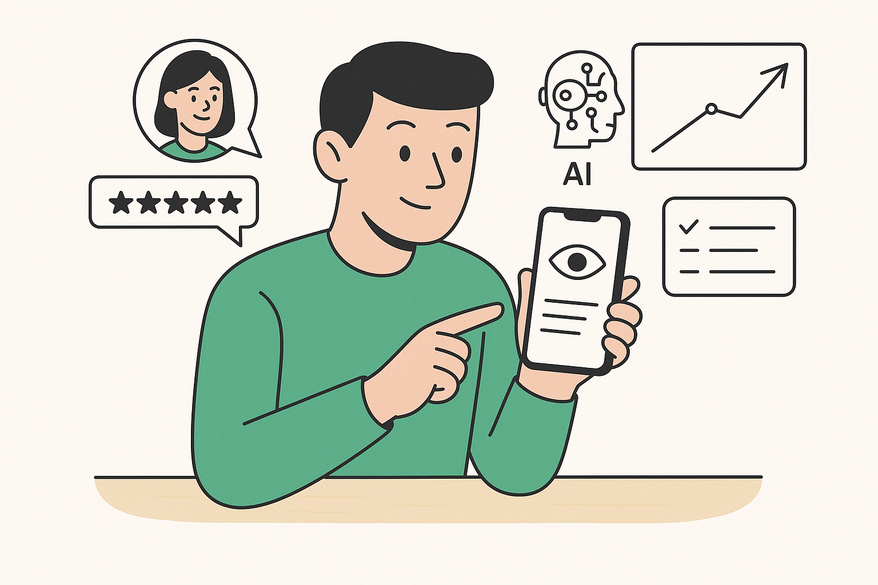
- It offers private feedback groups, rotating prompts, AI-driven insights, and growth tracking.
- Step-by-step instructions cover installation, account setup, navigation, and troubleshooting.
- Best practices include focusing on a few traits, using Anonymous Mode, and integrating reflection routinely.
- Additional resources: support center, in-app FAQ, video tutorials, and community forums.
Table of Contents
- 1. Overview of the Blindspot App
- 2. Step-by-Step Instructions
- 3. Tips and Best Practices
- 4. Additional Resources
- Conclusion
1. Overview of the Blindspot App
What Is the Blindspot App?
Blindspot is a mobile self-awareness tool for iOS and Android that delivers structured, honest feedback to fuel personal growth. It leverages friend responses, AI summaries, and goal tracking. For deeper theory on uncovering blind spots, see Johari Window Test: A Modern Guide to Discovering Your Blind Spots.
Who Should Use the Blindspot App?
The app is ideal for:
- Individuals on a personal development journey
- Leaders aiming to boost emotional intelligence
- Students seeking self-discovery
- Teams wanting open, honest feedback
Key Features and Benefits
- Private feedback groups – Invite friends or coworkers to share honest thoughts
- Rotating self-reflection prompts – Fresh questions to spark insight
- AI-driven insights and analytics – Summaries of patterns and trends
- Growth tracking – Maintain reflection streaks and earn badges (learn more: Streaks: Self-Improvement Gamified)
- Privacy controls and anonymous mode – Choose who sees what
2. Step-by-Step Instructions
Installation Guide
Where to Download
- iOS: Blindspot on the App Store
- Android: Google Play – search “Blindspot – Self Awareness”
System Requirements
- iOS 14 or later; Android 8.0 or later
- 200–300 MB free storage
- Stable internet connection for syncing and AI features
Step-by-Step Install
- Open your App Store or Google Play.
- Search for “Blindspot Self Awareness.”
- Tap Get or Install.
- Authenticate with Face ID, Touch ID, or your password.
- Open the app once installation completes.
Account Creation
Sign-Up Options
- Email registration
- Apple Sign-In
- Google Sign-In
Required Details
- Name or display name
- Email address
- Password
Terms & Privacy
Accept Terms of Service and review the Privacy Policy.
Email Verification
- Check your inbox or spam folder for a link
- Click to verify your account
Logging In
- Open the app
- Tap Log In
- Enter your credentials or use social sign-in
Interface Navigation
Home / Dashboard
Overview of recent prompts, feedback highlights, and reflection streak. Quick actions let you start a new prompt, view responses, or invite friends.
Groups Tab
Create and manage private groups, setting privacy and anonymity options.
Prompts Tab
Browse self-reflection questions, answer prompts about yourself, or send them to others.
Insights / Analytics
AI-driven summaries highlight strengths vs. blind spots, trends, and recurring themes.
Profile / Settings
Edit personal info, adjust privacy settings, manage notifications, or delete your account.
Using Key Features
A. Creating & Managing Groups
- Navigate to Groups.
- Tap Create Group.
- Enter a group name (e.g., “Work Team”).
- Select a privacy level.
- Invite members via email, SMS, or your contacts.
B. Sending & Responding to Prompts
Select a prompt, choose a group, toggle Anonymous Mode if desired, respond, and submit.
C. Viewing AI Insights
Open the Insights tab, review rating comparisons (self vs. others), scan keywords, and identify patterns.
D. Tracking Progress
Monitor your reflection streak on Home and earn badges for milestones (e.g., 10 prompts answered, a 7-day streak, 5 feedbacks received).
Troubleshooting Common Issues
Install/Open Errors
Free up storage and reboot your device. Update your OS and reinstall the app.
Verification Email Missing
Check spam/junk folders. Resend the verification link and confirm the email address is correct.
Login Failures
Use “Forgot Password” to reset. Ensure you’re using the correct sign-in method and that your email has no extra spaces.
No Feedback or Notifications
Enable app notifications in your device settings, ensure group members have joined, and check in-app notification preferences.
3. Tips and Best Practices
Maximize Your Experience
- Start with 3–5 trusted friends
- Focus on 1–2 traits per session
- Approach feedback with a growth mindset
Privacy & Security
- Use Anonymous Mode for honest responses
- Regularly audit group membership
- Avoid sharing sensitive personal data
Routine Integration
- Daily: Answer one prompt each evening
- Weekly: Review AI insights and set a small goal
- Monthly: Discuss findings with a mentor or coach
4. Additional Resources
- Official Support Center
- In–App Help / FAQ under Settings
- Video Tutorials on YouTube: search “Blindspot app tutorial”
- Community Forums: Reddit’s r/selfimprovement threads
Conclusion
In this guide, you learned how to install, set up, and navigate the Blindspot app; create groups and send prompts; view AI insights and track your growth; troubleshoot issues; and apply tips that boost self-awareness. Blindspot combines structured feedback and AI-driven analysis—use it to uncover your blind spots and drive meaningful personal growth.
Ready to get started? Download the app, follow this guide, create your first group, and send a prompt. Share it with friends, colleagues, and clients to kick off your self-awareness journey. For another perspective on top self-awareness tools, check out our best self-awareness apps roundup.
FAQ
Is Blindspot free to use?
Yes, the core features of Blindspot are free. Some advanced insights or badges may require optional in-app purchases or subscriptions.
Can I remain anonymous when giving feedback?
Absolutely. Use Anonymous Mode in a group to ensure your responses cannot be traced back to you.
How do I invite friends to my group?
In the Groups tab, tap Create Group or select an existing group and choose Invite Members. You can send invites via email, SMS, or your contact list.
How is my data protected?
Blindspot uses end-to-end encryption for feedback and offers privacy controls. Review the Privacy Policy for full details.